What Happens to a Font When You Switch It Off
Every font manager has an off switch. The useful question is where the file goes when you press it. FontSiphon's answer, path by path: the folder it lands in, the one database row that brings it back, the tests that hold it to that, and the folders it will not touch.
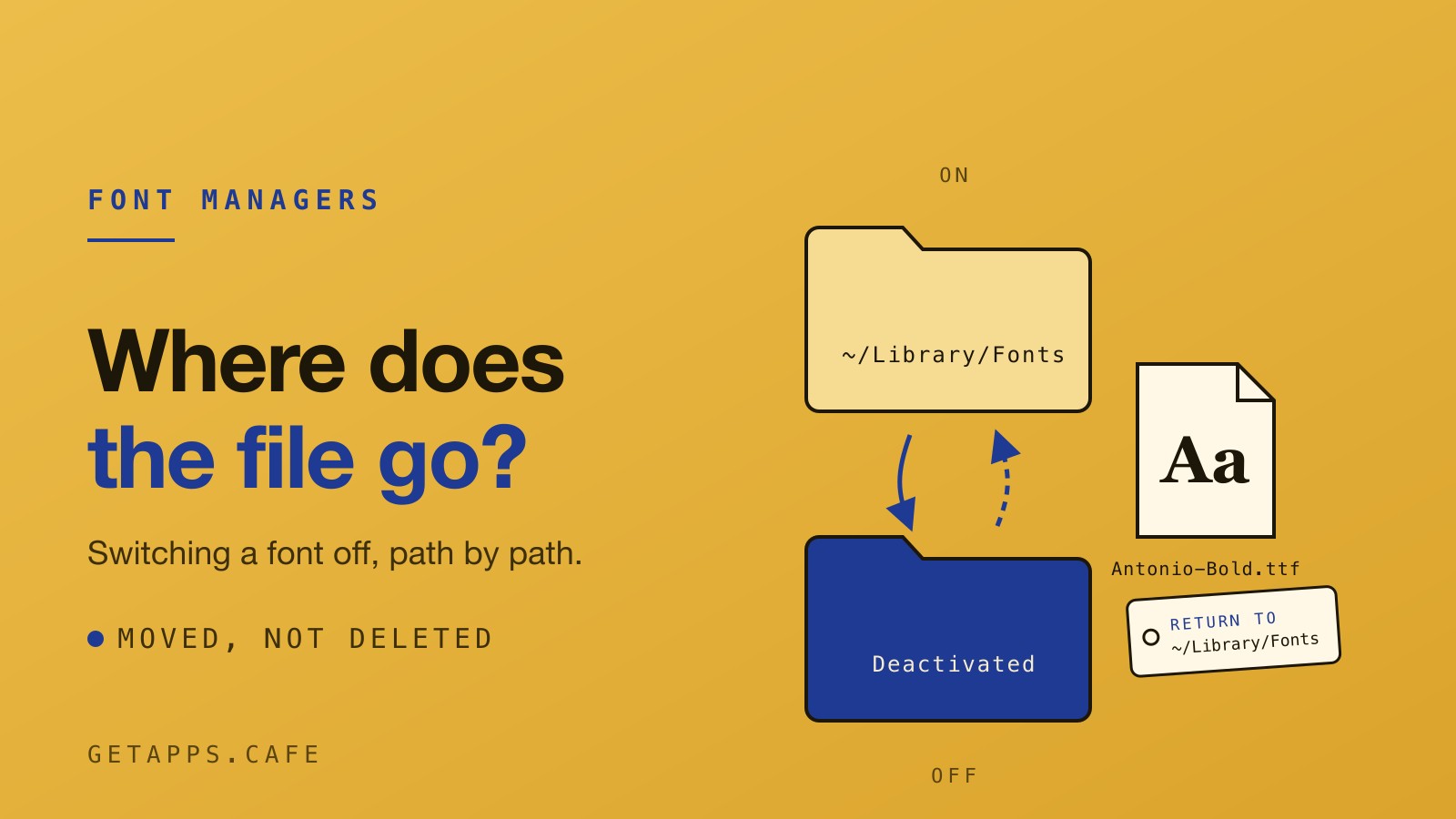
Every font manager has an off switch. The useful question is where the file goes when you press it. It can be deleted, it can stay exactly where it is while a database marks it hidden, or it can be moved somewhere else. You can find, back up or recover a file only if you know where it is.
Here is the answer for FontSiphon, path by path, along with the folders it refuses to touch.
The folder is the registration
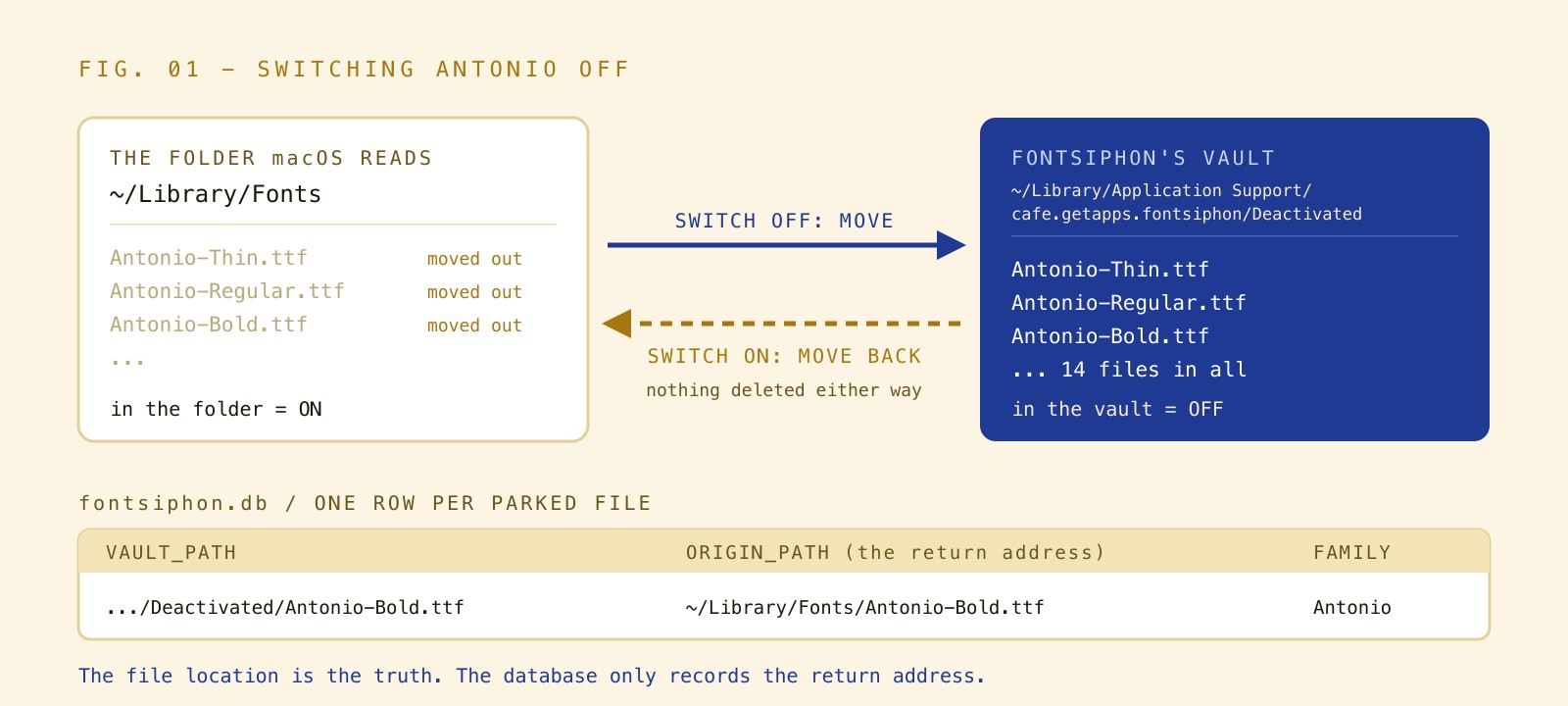
macOS decides a font is available by checking whether its file sits in a font folder. The folder is the registration. Switching a font off in FontSiphon moves the file out of ~/Library/Fonts and into its own vault at ~/Library/Application Support/cafe.getapps.fontsiphon/Deactivated. Switching it back on moves the file back.
Nothing is deleted by switching a family off. The file is an ordinary font file sitting in an ordinary folder you can open in your file browser. On the Mac this was checked on, that folder held 14 files. The seven weights of Antonio were among them, from Thin and ExtraLight through to Bold, along with LilitaOne-Regular.ttf.

A database for the return address
FontSiphon keeps a small SQLite database to manage this movement. A comment in the source code states the rule plainly: "the file location is the truth, the database only records the return address."
For each parked file, it records one row. That row holds the path in the vault, the path it came from, and the family name. The real row for the bold weight of Antonio looked like this: .../Deactivated/Antonio-Bold.ttf came from /Users/<you>/Library/Fonts/Antonio-Bold.ttf, family Antonio. 14 rows for the 14 files. Whether a font is on or off is decided by which folder its file is in when the app scans, not by a flag in the database. That is why the state survives a relaunch.
Before every scan, the app drops rows whose parked file no longer exists. If you delete a font from the vault in your file browser, the app forgets the return address so it does not come back as a ghost. A parked file that loses its return address is no longer offered an on switch, because the switch would fail. Once a font goes back to its original folder, its row is deleted entirely.
The tests that hold the line
Writing a file to a folder is simple. Keeping it intact through edge cases takes work. The FontSiphon repository had 46 tests passing on 29 September 2026 to hold the app to this behaviour.
The round trip test writes a file named Inter-Regular.ttf, switches it off, and checks that it left the font folder to sit in the vault with identical bytes. Then it switches it on and checks that it is back at exactly the original path, again with identical bytes, and that no copy lingers in the vault. The squatter test handles the scenario where you reinstall a different build at the same path while your original file is parked. Overwriting it would silently destroy your new file. Switching the original back on places the parked file beside the new one under a new name, following the standard convention of adding a number in brackets like A (2).ttf, and keeps both.
Two different files both named Regular.ttf, pulled from two different folders, can both be parked. Each still knows its own way home. If the vault is on a different disk from the font folder, a simple rename cannot cross volumes. The move falls back to a copy followed by a delete.
The folders it refuses to touch
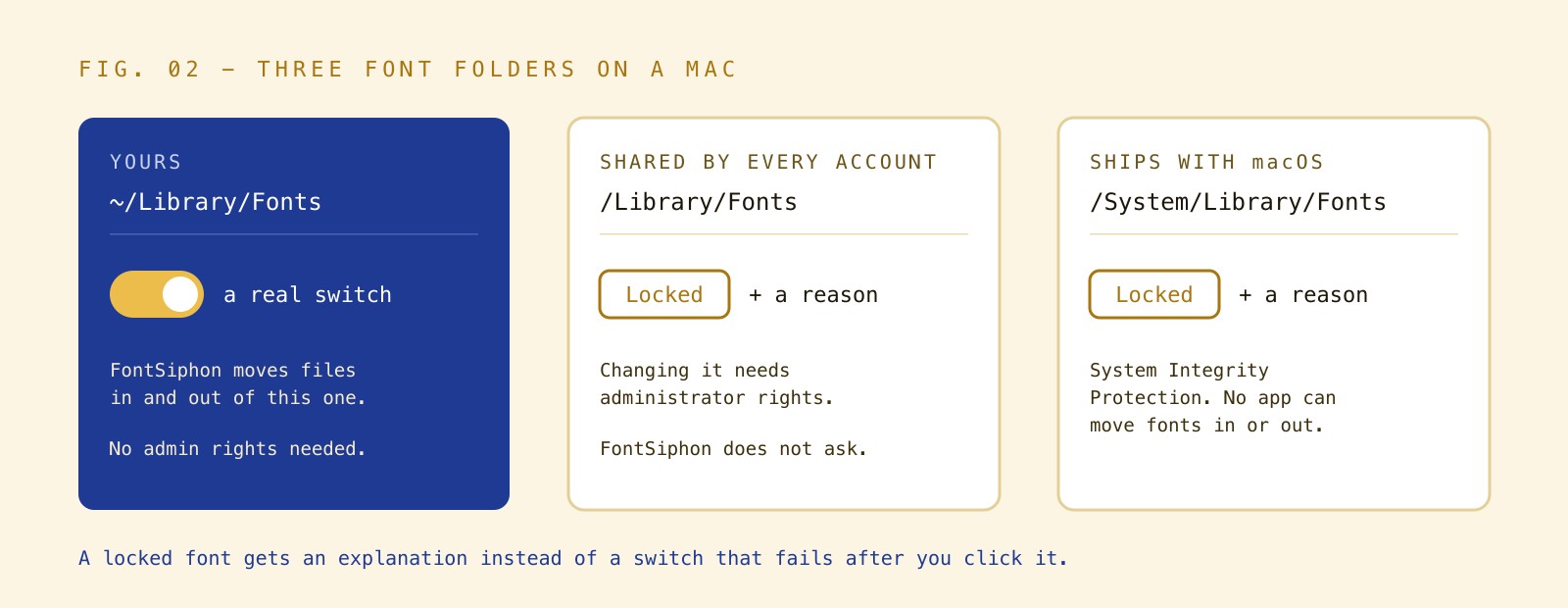
The app will only switch off fonts in your own folder. /System/Library/Fonts and its supplemental folder are protected by macOS System Integrity Protection. No app can move files in or out of them. The system-wide /Library/Fonts is shared by every account on the computer. Changing it requires administrator rights, and FontSiphon does not ask for them.
Instead of a switch that fails after you click it, a font in a protected folder shows a Locked button. Clicking it opens a dialog titled "This font is in a protected folder". For the shared library, the text is explicit: "This font lives in /Library/Fonts, the folder shared by every account on this computer. Changing it needs administrator rights, which FontSiphon does not ask for. Move a copy into your own font folder if you want to manage it here." System fonts show a similar message explaining that the operating system protects the folder so no app can move fonts in or out.
Windows needs a second step
On Windows, moving the file is not enough. The graphics system reads its font table from the registry. A font file in the folder stays invisible to every app until a value is written under the Fonts key and a broadcast message is sent to the system. FontSiphon manages the per-user font folder at %LOCALAPPDATA%\Microsoft\Windows\Fonts, which needs no administrator rights, and uses a Deactivated folder inside the app data directory as the vault.
The broadcast is sent with a one-second timeout. It skips hung windows so a frozen app does not wedge the toggle. Order matters here. When switching off, the app withdraws the font from Windows first and then moves the file. Windows will not let go of a file it still has open, so reversing that order would cause the move to fail. When switching on, it moves the file back first and then registers it. Windows records the path it is told. Registering the vault copy would leave a dangling entry.
Where this approach stops
- .ttc collections: One .ttc file holds several faces, and the file is what moves. Switching one face off switches off every face in that file.
- Variable Google fonts arrive as static weights: When FontSiphon downloads a family from Google Fonts, it installs one static file per weight, not the variable font file.
- Classification comes from the font file: The app relies on the file's own PANOSE descriptor with a name-based fallback. A file that describes itself wrongly, like Trattatello calling itself a rounded sans, is filed wrongly.
- Only your own folder is managed: Fonts in the shared library and the system folders stay on.
- Delete is permanent: The delete action does not go to the Trash. It permanently removes the file after a confirmation dialog.
- Moving a parked file breaks its return address: If you rename or move a parked file yourself, the app forgets the row and stops offering the on switch. You can still move it back to your font folder by hand.
Ask the question of your own manager
RightFont is a well-known Mac font manager that sells a licence, requiring macOS 11 or newer to run. On 29 September 2026, its pricing page listed it at $59.00 for a one-time purchase covering one device with one year of updates and support, and its homepage says it activates missing fonts automatically when you open a document in supported design apps. FontSiphon doesn't do that. RightFont also states: "Install and use your fonts instantly with a simple click. No need to copy font files to the system directory."
We haven't looked inside RightFont. This post makes no claim about where it puts a switched-off file, how it handles activation, or what it does internally. Check the folder of whatever tool you rely on and see what happens to the files you feed it.
We have written more about how FontSiphon handles the Google Fonts catalogue, as well as a direct look at RightFont to see where the $59.00 tool pulls ahead. FontSiphon runs on macOS and Windows, and you will find it in the Mocha menu.
The getapps.cafe membership gives you one plan for every app on the menu, licensed per device. A card is saved when the 7-day trial starts, nothing is charged during it, cancel before it ends and you are never billed. You can test your own folders from the membership page.