Fresh Brews: Eight New Apps Join the Menu
Eight drinks joined the menu overnight, and the count is only half the story. For the first time since the summer, the Coming Soon shelf is empty: 111 apps, all live.
Fresh Brews: Eight New Apps Join the Menu
Eight drinks joined the menu overnight since yesterday's Fresh Brews post, and the count is only half the story. For the first time since the summer, the Coming Soon shelf is empty. Every one of the 111 apps on the menu is live.
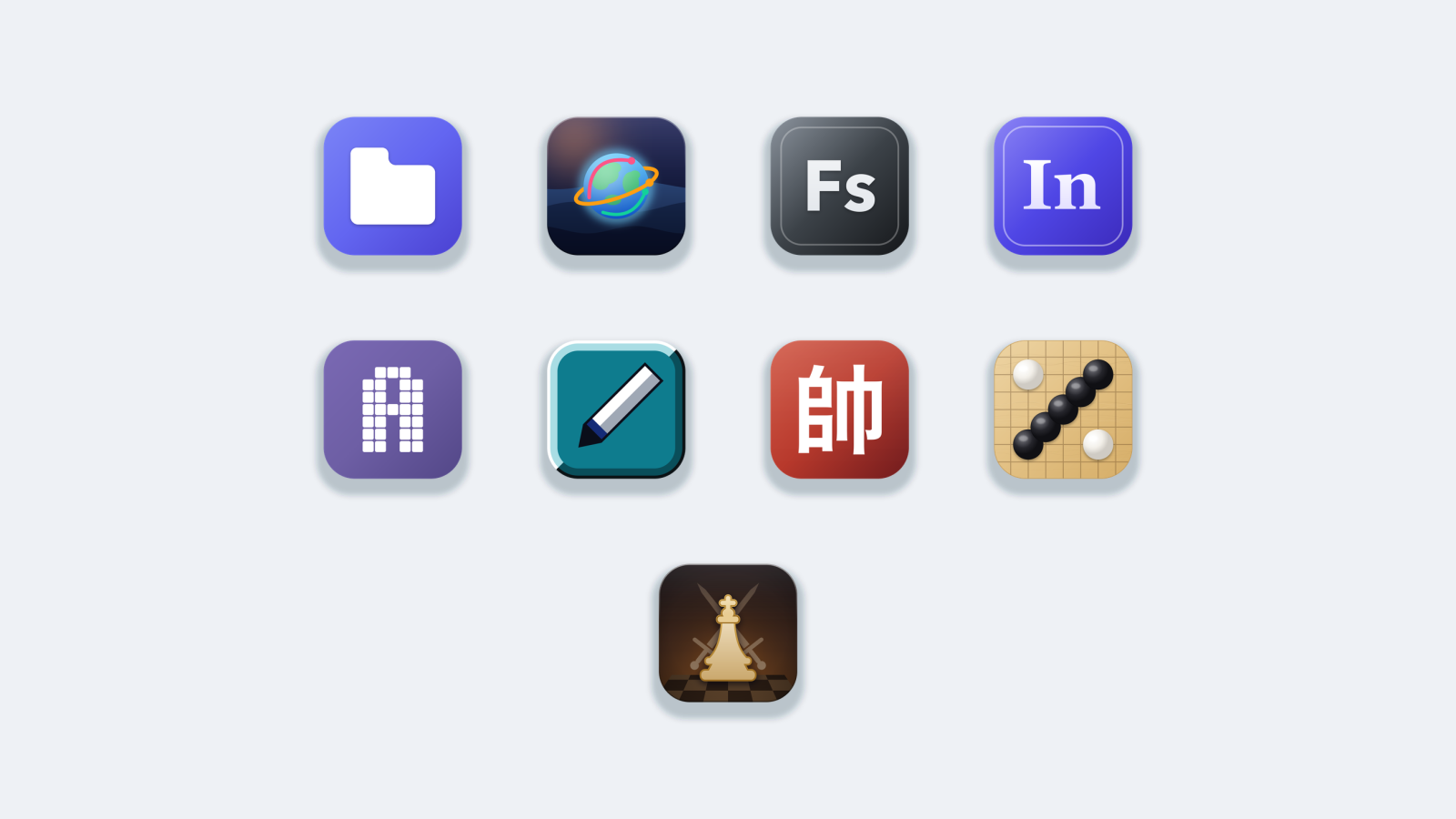
The eight new ones split across four shelves: Frappe, Mocha, Pour Over and Affogato. Four of them share a naming family: Steep and Siphon. It fits. FileSteep and GlyphSteep soak up what is already on your machine, and FontSiphon and GlobeSiphon draw it out so you can actually see it.
Frappe pours two data tools
FileSteep is a file manager for people who live in their files. Six views for a folder: grid, details, gallery, column, tree, list. Previews for almost anything without opening another app, from PDFs and Word docs to Markdown, JSON, code with syntax highlighting, even audio and video. Search reads inside files, so you can find a document by a phrase in it, not just by its name. There's a full terminal docked in the same window, split panes and tabs, batch rename with a live preview of every new name, duplicate detection, folder size breakdowns, and in-place handling of zip, tar, 7z and rar. None of it phones home.

GlobeSiphon turns the sky into something you can look at. Thousands of aircraft sit at their real altitudes above a 3D globe, trunk routes arc between the world's busiest airports with a travelling pulse running along them, and 3,344 satellites sweep their orbits overhead. It works with the network off: a snapshot of real traffic, the scheduled airports and the satellite catalogue ship inside the app, so the globe is never an empty sphere waiting on a connection. Go online and one button pulls fresh positions. Stay offline and everything still turns. Wind time forward 1,800 times and whole orbital shells rotate before your eyes.

Mocha gains a font manager and an invoice counter
FontSiphon reads every typeface installed on your Mac and shows each one in its own design. Turn a family off with one click and it leaves your font menus everywhere, instantly. Nothing is deleted, and one click brings it back exactly where it was. A deactivated font still shows a real specimen, because the app reads the file directly instead of asking the system. Collections group the fonts a brand or a client needs, real metadata is parsed from the font's own name table, and the whole Google Fonts library, nearly two thousand families, is built in.

InvoiceCafe turns the twenty minutes you lose to a spreadsheet template into about one minute. Fill in the form on the left, watch a real invoice take shape on the right, save the PDF. Three designs that already look finished: Minimal, Classic, Modern. A client book so you enter a client once and every field fills itself in. Profiles for multiple businesses, totals worked out to the penny with quantities, discounts and tax applied in the right order, and nearly thirty currencies including the ones with no decimal place. Your invoices, clients and business details live in one file on your own computer, and the app never sends them anywhere.

Pour Over goes back to basics
GlyphSteep is a drawing app where the paint is characters. Pick a symbol, pick a tool, fill a grid. Drop in a photo and it traces itself into ASCII for you, then you go back over it by hand until it looks right. Your art is a plain text file the whole time, so it pastes straight into a chat, a README or a terminal banner, and any text editor on earth can open it. Bring your own font to get the wide-character look right for Shift_JIS art, or export a PNG when somewhere won't take plain text.

PaintFroth is OG Paint for your Mac. One canvas, sixteen tools down the left, a strip of colours along the bottom, and nothing between you and the pixels. The image menu that taught a generation what flip, rotate, stretch and skew mean is all still one click away. Zoom to 8x, turn the grid on, place single pixels by hand. Editing a photo writes a copy named -painted next to it and leaves the original untouched. Every stroke is kept, so you can export the whole session as an animated GIF, and the themes include the grey and teal you remember.

Affogato is turning into the games shelf
ChineseChess is Xiangqi the way it should look on a Mac: two sculpted armies facing each other across a marble board, every piece carrying the character that names it. Play the built-in engine across five levels, from a Novice who is genuinely blind to the things a beginner is blind to, up to a Grandmaster that searches every line it has time for. Play on the sculpted 3D board or flip to a flat 2D board mid-match with nothing lost. Pick up any piece and every legal square lights up: the cannon that needs a screen to capture, the elephant that may never cross the river, the horse whose leg is blocked.

GomokuCafe is five-in-a-row with an opponent that actually thinks. Five difficulty levels, each measured against the one below it over twenty-four games, and every rung wins its series. A flat 2D board, or a 3D wooden slab you can orbit, zoom and tilt. Hot-seat mode for two players on one Mac, undo that returns your move and the computer's reply together, a hint button when you're stuck, and four board sizes from 15x15 up to 25x25.

With ChessCafe already on the shelf, Affogato now holds three board games. The games corner is quietly becoming a real destination.

The whole board is served
Eleven drinks yesterday, eight today. The café now serves 111 apps across eight shelves, all included in one subscription. If you have been waiting for the menu to settle before trying the café, now is the moment, and you can start a 7-day free trial at the membership page.