ResumeRoast vs Resume.io: An Honest Comparison for 2026
Resume.io is a web builder with AI writing help, cloud access and a $2.95 trial that renews at $29.95 every four weeks. ResumeRoast is a desktop app that keeps the file on your own computer and exports A4 only. What each costs and where each one wins, checked 29 September 2026.
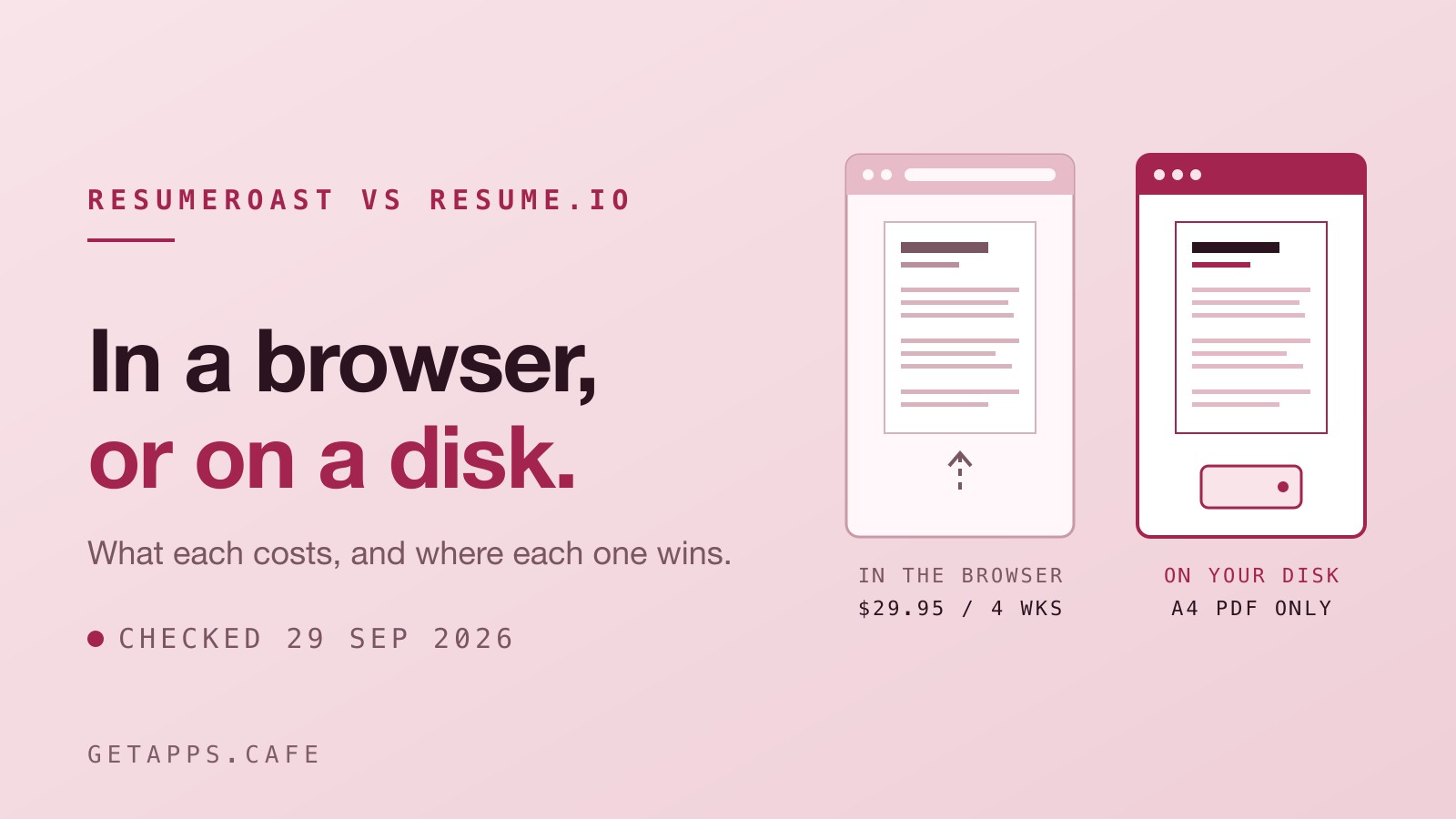
You sign up for a $2.95 trial. A week later, it renews at $29.95. It bills that amount every four weeks until you tell it to stop. These are the numbers on Resume.io's pricing page on 29 September 2026, which is when we checked it and their help centre to write this comparison. Resume.io is a web service with an account, AI tools, and a family of job-search features. ResumeRoast is a local desktop app for your computer, with no AI at all. They do the same job. They do it in completely different ways.
The math on a two-month job hunt
Resume.io lists a "$2.95 7-day Trial" with all premium templates and unlimited PDF downloads. The next line clarifies the cost: "After 7 days, auto-renews to $29.95 billed every 4 weeks". You can use a free plan, but it limits you to one resume and "Downloads only in TXT format". They also offer a quarterly plan, a 7-day money-back guarantee, and note that prices can vary by location.
If you take the trial path for two months of job hunting, the math is $2.95 plus two renewals at $29.95, giving you a total of $62.85. A full year on that same trial path reaches $392.30. You can review the Resume.io pricing directly.
The getapps.cafe membership operates on a different model. One plan includes every app on the menu, which is 127 apps today. The Solo Cup plan costs $9.99 a month billed monthly, or $59.88 charged once a year. It includes a 7-day free trial. Your card is saved when the trial starts and nothing is charged during it. Cancel before it ends and you are never billed. The sign-in is the membership licence, using one slot per computer.
Two months of job hunting on the Solo monthly plan, after the trial, is $19.98.
The weight of the cloud
Resume.io holds a real advantage if you want the software to handle the heavy lifting. It saves your work to their servers as you type. If your connection drops, the editor keeps your changes and backs them up to the server when you are online again. You can duplicate a document for different applications, or combine two documents into one.
The export options cover the exact formats corporate tracking portals ask for. You can generate a share link, download a TXT file, or export a DOCX file on eight specific templates: Stockholm, New York, Sydney, Dublin, Athens, Brussels, Prague, and Shanghai.
Then there are the AI tools. It offers AI-generated sample sentences for a job title, suggests skills, and gives word count advice. You can paste a job description and the builder will "Tailor to the job listing" by automatically updating your resume. The homepage says you can "Speak into the mic and the AI fixes mistakes." It also offers "Instant cover letters. Just paste a job link. We create a matching cover letter using your resume."
The platform surrounds the builder with extra resources. You get Interview Prep, a Salary Analyzer, Career Coaching, and a Job Board. There is an Auto Apply feature where their experts apply for you. These are genuine benefits for a specific kind of job search.
Keeping the file on your own computer
ResumeRoast is a version 2.2.5 desktop app for macOS and Windows. The file lives in a local database on your computer. The app goes online for exactly two things: the getapps.cafe membership check and the update check. No account for your data is created, and no field of your resume is in either check.
The design options rely heavily on your local system. You can use every font family installed on your computer, alongside built-in Sans, Serif, and Mono choices. By contrast, the Resume.io help centre says, "Currently, our templates do not support different font styles." We detailed the addition of installed fonts, along with new hex colour fields, in our 2.2 update post. Both tools offer excellent colour control.
You get 12 resume templates, ranging from Minimal to the Classic (ATS) template. Six cover letter designs match the resumes. A cover letter can link to a resume, reuse its name and contact details, adopt its template, and export as its own PDF. You duplicate a resume for each job. Every copy keeps its own layout and text. The live preview updates exactly as you type. Multi-page resumes break across pages at the precise points the preview shows, so the exported PDF always matches your screen.
The interface comes in 19 languages, including Japanese, Korean, Spanish, French, and Thai. And there is no four-weekly renewal to remember while you wait for recruiters to call.

The blank page is a feature
There is no AI and no text generation anywhere in ResumeRoast. It writes nothing for you.
This is a choice with a direct cost to your time. If you want a machine to draft your bullet points or automatically tailor your skills to a job listing, Resume.io does that. ResumeRoast doesn't. The words in the local app are entirely yours.
Passing the file by hand
Where your resume lives dictates how you access it. Resume.io saves to its servers, "so that you can access it from anywhere at any time".
ResumeRoast keeps it on your machine.
Moving to another computer means you click Export JSON, move the file, and click Import on the new device. You do the transfer by hand. We read the privacy policies of several online resume builders in an earlier post.

The boundaries of the local app
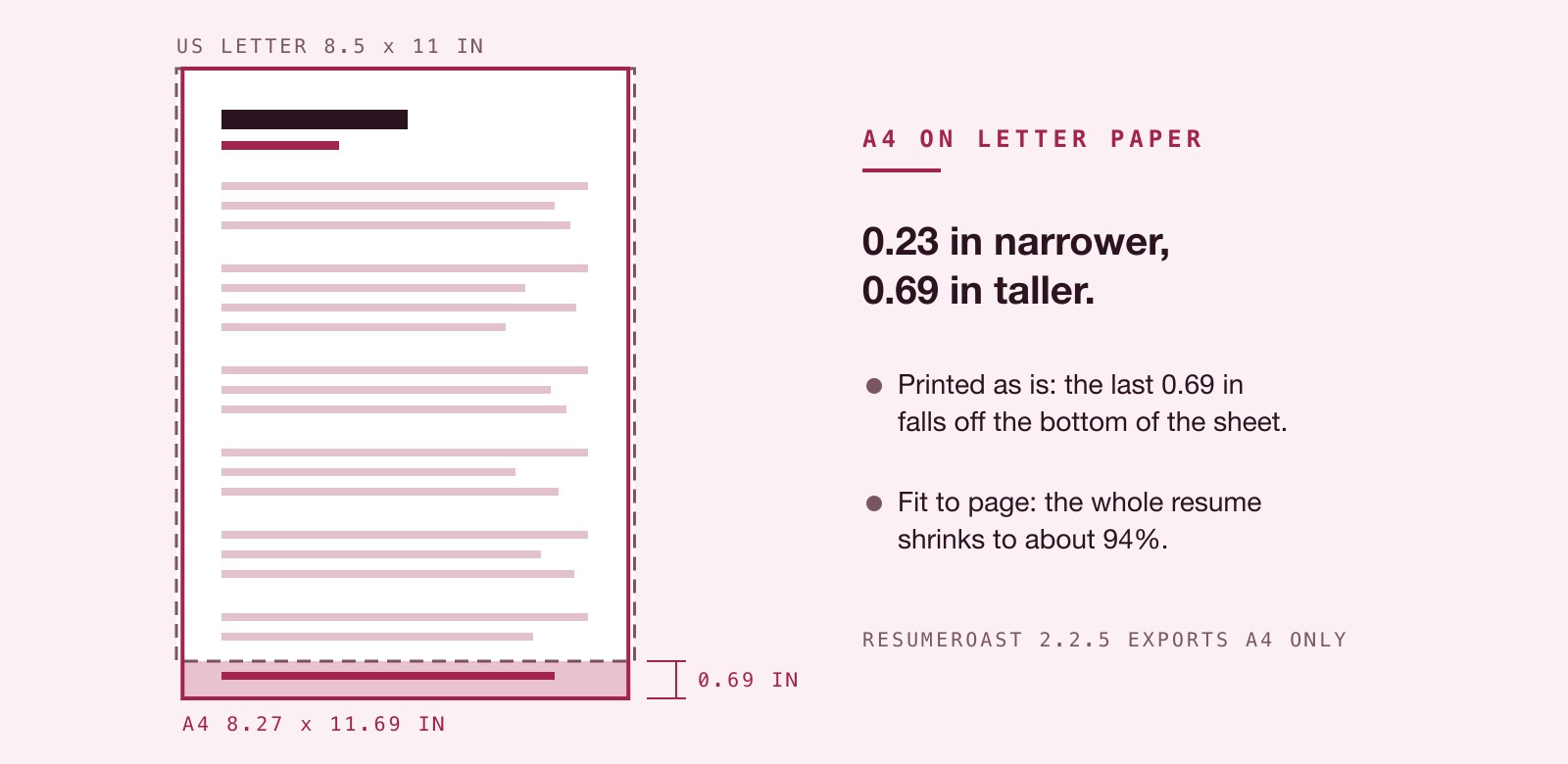
A local desktop tool has rigid limits. The most obvious one in ResumeRoast is the paper size. The PDF export is A4 only. That is 210 x 297 mm, or 8.27 x 11.69 inches. There is no US Letter option.
The US and Canada use Letter, which is 8.5 x 11 inches. A4 is 0.23 inches narrower and 0.69 inches taller. If you apply in North America and a recruiter prints your resume on Letter paper with the printer set to fit-to-page, an A4 document is scaled down to about 94%. Without scaling, the bottom 0.69 inches simply falls off the sheet. This matters in a physical stack of papers, and ResumeRoast cannot fix it today.
You are also restricted in file formats. ResumeRoast exports PDF and JSON only. There is no DOCX and no TXT export. If a corporate portal demands a Word file, you need another route entirely. You get 12 templates against the 30 or more offered by Resume.io. You get no share link, no sync between devices, no interview prep, and no job-search services.
The right tool for the current search
Your choice depends on how much of the work you want to hand off. Pick Resume.io if you want AI drafting, Word files, any-device access or job-search services.
Pick ResumeRoast if you want the file on your own computer and full font control. It fits a search where A4 is fine for where you apply, and you prefer having no renewal ticking while you wait for recruiters to call.
You can find ResumeRoast in the Mocha menu. Take it for a spin with the membership trial.