iA Writer's whole pitch is a quiet screen. No buttons, no toolbars, and a Focus Mode that fades everything but the sentence or paragraph you're on. That's worth a lot. But it's sold one platform at a time: $49.99 for the Mac, $29.99 for Windows, another $49.99 for iPhone and iPad. And iA says it plainly on its own pricing page: one-time isn't lifetime, and major updates may cost extra.
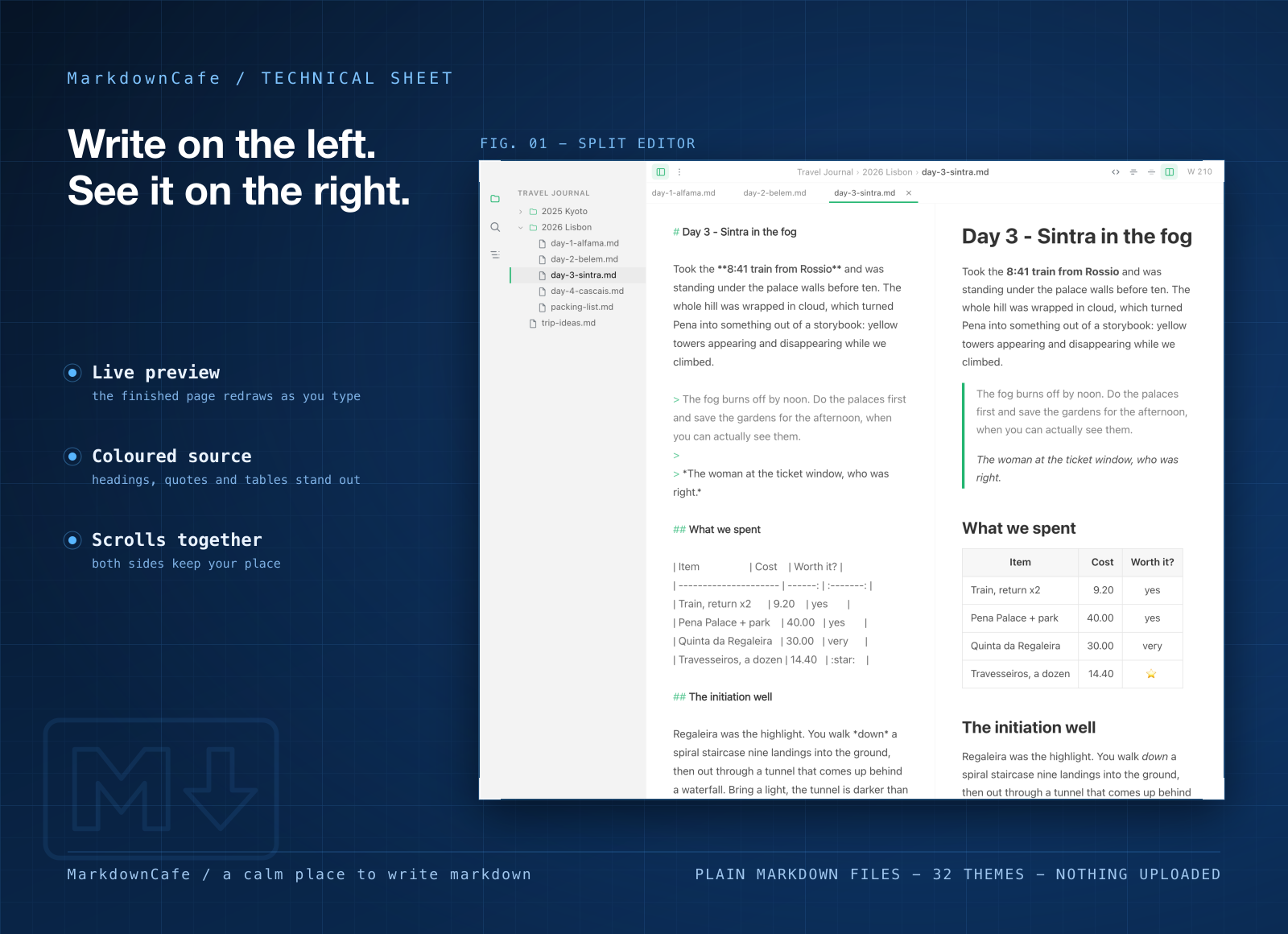
MarkdownCafe is a Markdown writing app built on the same plain-file idea. Open one file or a whole folder of notes, type on the left, and the finished page shows up on the right. Your notes stay as plain text files where you already keep them. There's no account to make and nothing to import.
Light, quick, and on Mac and Windows
- Less than half the size. MarkdownCafe for Mac is a 7.7 MB download. iA Writer on the Mac App Store is 17.1 MB. On Windows, MarkdownCafe is 4.7 MB.
- Opens straight to your work. Your recent files and folders wait on the opening screen. Pick one and you're writing, with no sign-in and nothing uploaded.
- One app on every desk. Mac, Windows and Windows on ARM all get the same app.
What you can do in it
- Write with the room to yourself. Focus mode dims everything but the paragraph you're writing, typewriter mode keeps your line in the middle of the screen, and you can hide the sidebar and preview for one clean column.
- See the finished page as you type. The preview sits beside your text and scrolls with it, so you don't lose your place.
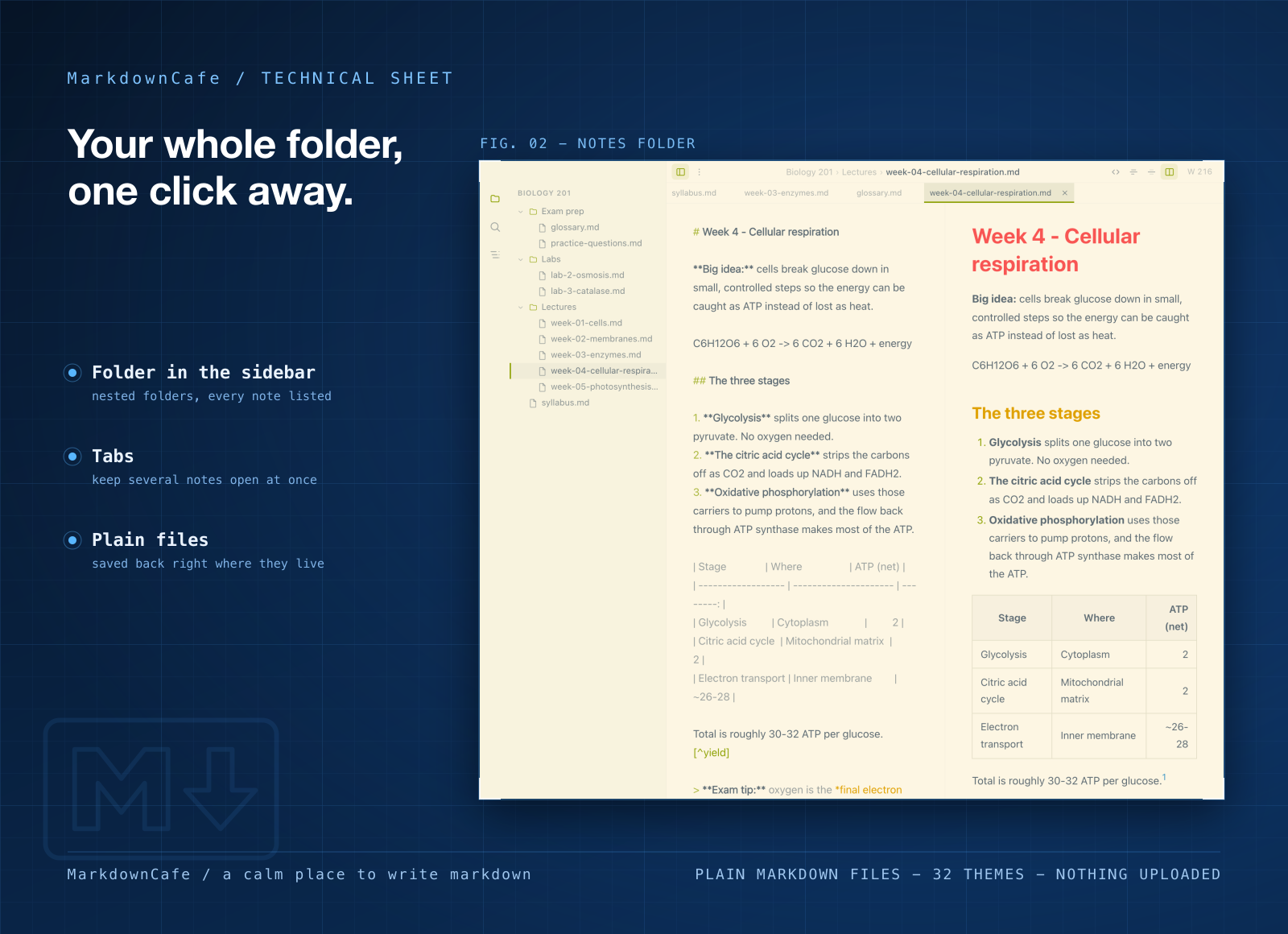
- Keep a whole notes folder at hand. Point it at a folder and every document, nested folders too, is one click away in the sidebar.
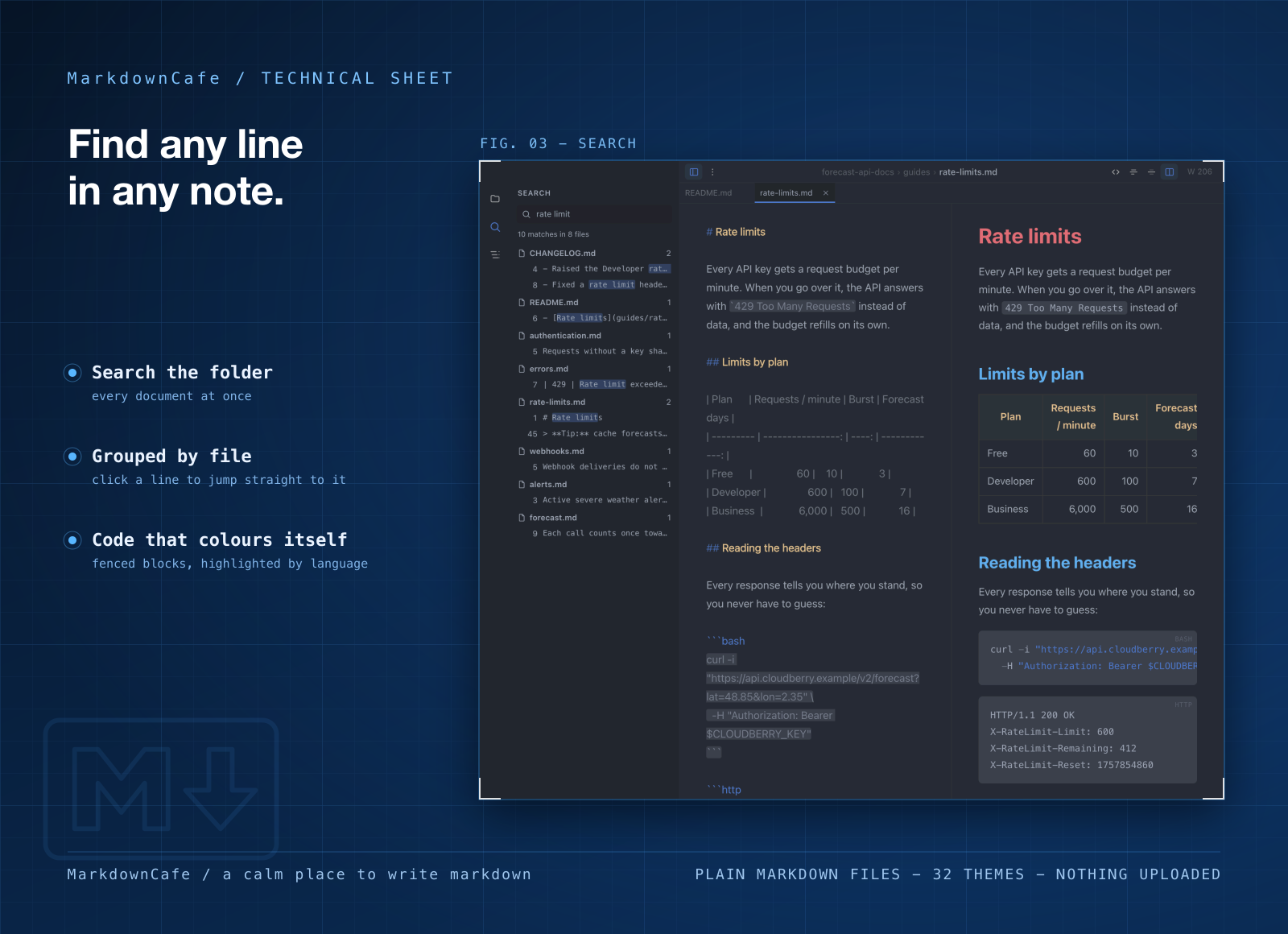
- Search every note at once. One search box covers the folder and shows the matching lines, so you jump straight to the right paragraph.
- Pick a theme you can write in for hours. 32 of them, light and dark, from plain paper white to Dracula, Nord and Solarized.
- Send it on as a web page or PDF. The export looks like what you were just looking at, theme included.
Who it's for
Writers who like a calm screen but have a Mac at home and a Windows PC at work. People with a folder of Markdown drafts in Dropbox, iCloud or a Git repo. Developers writing READMEs and changelogs next to their code. Students who want to search a term's worth of lecture notes in one go.
When to stick with iA Writer
If you write on your iPhone or iPad, keep iA Writer: it has apps there, and MarkdownCafe is Mac and Windows only. iA's Style Check, which flags clichés, fillers and clutter, and its Authorship view, which shows what you typed and what you pasted, have no match in MarkdownCafe. iA Writer also exports to Word, while MarkdownCafe gives you a web page or a PDF. And if you only want one writing app on one Mac, $49.99 once is less than a membership costs by its third year.
What it costs
MarkdownCafe isn't sold on its own. It comes with a getapps.cafe membership, from $1.99 a month on the annual plan, and that includes every other app on the menu. Solo covers one computer and Family covers five, so a Mac plus a PC needs Family. There's a 7-day free trial, so you can open your own notes folder in it before you pay.